Every tool you need. None you don't.
Every tool you need. None you don't.
A frontier coding agent. Writes. Debugs. Fixes. Refactors. All from your terminal — and gets sharper with every session. Just prompt. It handles the rest.
A CLI built for speed. And taste.
One-Shot Setup
Self-Updating
Beautiful UI and Clean UX
Blazing Fast
Tiny Footprint
Multi-Directory Workspace
Your taste. Learned. `npx taste`
Continuous Taste Learning
Push & Pull Taste
Taste Onboarding from Other Agents
Taste from Any Repo
A mode for every moment
Interactive Mode
Headless Mode
Plan Mode
Auto-Accept Mode
Background Sandbox
Pro tools. Built in.
File Operations
Shell Execution
Extended Thinking
Agentic /review
Web Search & Fetch
Todo Tracking
One command. Seventeen modes.
Audit: `/design checkup`
Systems: `/design recolor`
Build: `/design redesign`
Ship: `/design finish`
Hackable. Out of the box.
MCP Server Integration
Agent Skills
Custom Slash Commands
Sub-Agents
It remembers. So you don't have to.
AGENTS.md Project Memory
Checkpoints & Rewind
Session Resume & Compact
Any frontier model. Any provider. Zero lock-in.
Model & Provider Selection
Open-Source Models
Even better, together.
Conversation Sharing
Organizations & Teams
PR Context & Comments
Your design partner. `/design`
Design a Landing Page
Recolor & Typeset Systems
Seventeen Design Modes
Until coding feels like thinking.
Keyboard Shortcuts
IDE Integration
Permission & Trust System
Status & Diagnostics
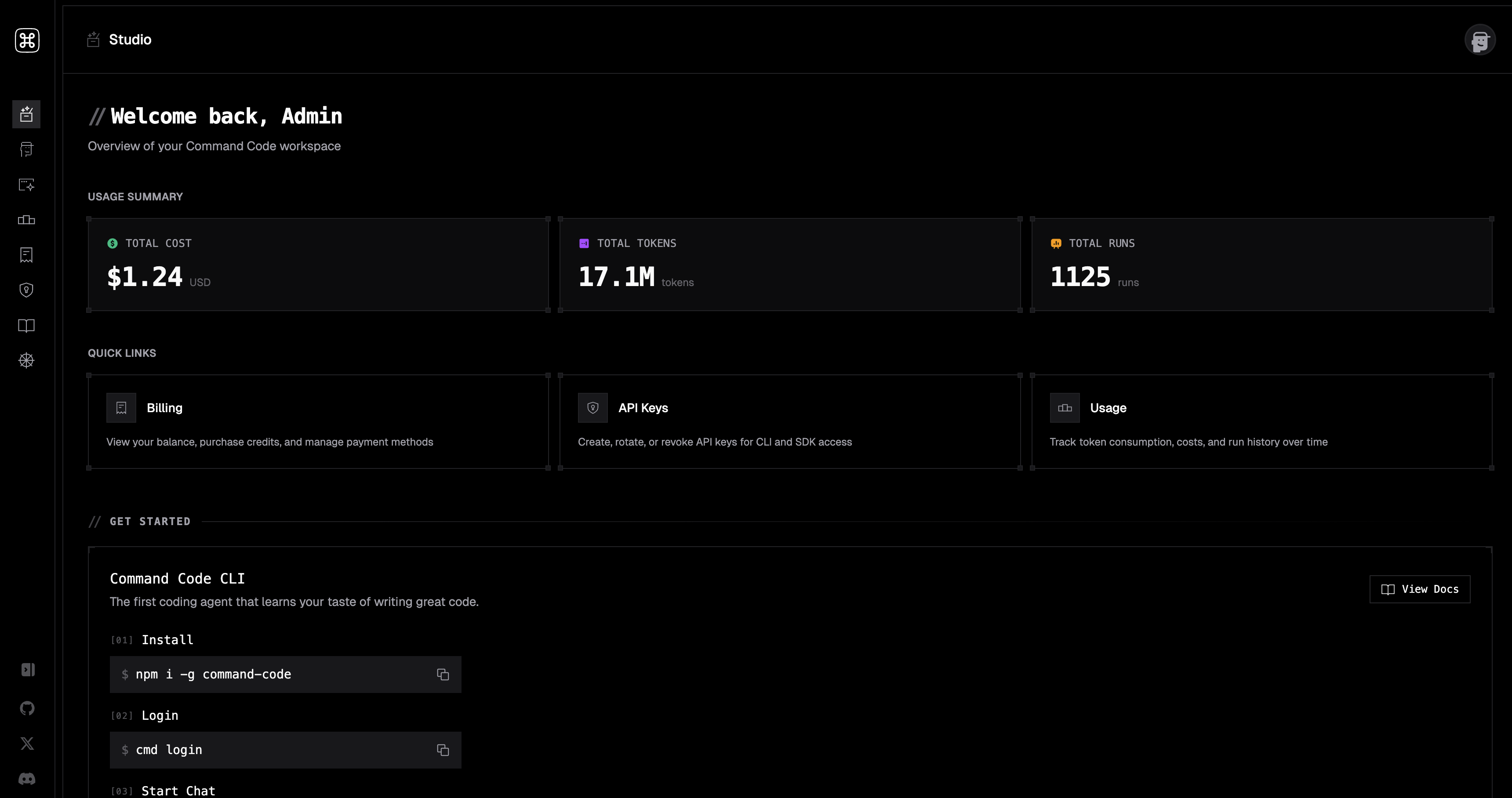
Studio — your Command Code control plane
Studio Dashboard
API Key Management
Usage & Credits
Taste Library
//faq
Questions, answered.
Everything that usually comes up before a team installs. Still curious? Read the docs, or join the Discord.
Command Code is the best coding agent for open models. It lives in your terminal and continuously learns your coding taste. Powered by taste-1, it ships, fixes, tests, and refactors with the patterns you keep, and forgets the ones you delete.
Because we made them work. "Open model bad at tool calling" is a harness problem, so Command Code validates and repairs every tool call in flight, about 1M repairs per 1T tokens, free on every plan. Our read and shell tools lead the token efficiency frontier benchmarks across ten harnesses, and our prompt caching holds 99%+ cache hit rates, the best in the industry. DeepSeek, Kimi, GLM, Qwen, and MiniMax all run on it, proven at 30T scale, 130T+ tokens served, by 100K+ developers and 40K+ paid customers.
Every accept, reject, and edit is a signal. Command Code distills those into project-level /skills and personal /memory, so the next session opens with the conventions you already prefer. No rules to write, no prompts to maintain.
Every model listed in our docs ships out of the box — Anthropic, OpenAI, Google, xAI, DeepSeek, Qwen, Kimi, GLM, MiniMax, and more. New vendors land regularly.
No. Never. Your code, your skills, and your memory stay on your machine. Command Code never trains on your work. See the Privacy Policy.
npx taste push to publish a project skill, npx taste pull to install one. Skills are open files in your repo — review them in PRs like any other code.
Free tier for solo developers. Pro and Team plans add seats, more compute, and shared taste registries. See Pricing for the full breakdown.




Ready to code with your taste? Join 100K+ developers who stopped fixing AI code and started shipping with the best coding agent for open models.
$1/mo Go plan · Cancel any time